
Vehicle Manager is Joomla car rental dealer software for building a car website. With car rental software, you can easily manage different types of vehicles: cars, trucks, trailers, vans, bikes, motorcycles, boats, yachts, campers, and more. This car rental dealer software is suitable not only for single dealers but also for the creation of a portal of vehicles, where several dealers can add vehicles from the frontend, sell, and rent out their vehicles.
Features from Frontend and Backend
Vehicle Manager is Joomla car rental/dealer software for renting and selling cars. Admin from the backend can create unlimited categories (with images) and subcategories (e.g., vehicle make, model, maker), create and assign vehicles to several categories, import/export vehicles (CSV, XML formats), upload images, videos, and additional files for vehicles, manage requests for rent and purchase (accept or decline them), track rent history of selected vehicle or user, create additional characteristics of vehicles and categories for them. Also, the admin can set the size of displayed images, display or hide tabs and buttons, control email notifications (to admin, user, and agent). Also, it is possible to add extra fields and rename existing fields/constants using a special tool (Language Manager) in car rental management software.In Joomla car rental/dealer software, an Agent from the frontend can add cars - their description, image, technical characteristics/features of the vehicle, add price and special price, attachments (image, video, eDocument, eDocument link). And this is just a small part of all options and abilities of Vehicle Manager - Joomla car rental dealer software for building a car website. Have a look at the demo version to see more of them.
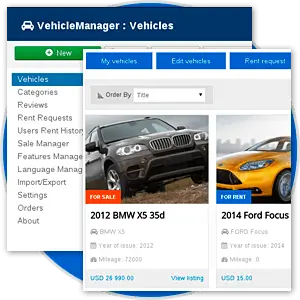
Variety of Pre-Designed Layouts
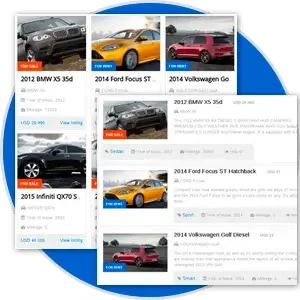
In Vehicle Manager - Joomla Car rental dealer software, you can find such layouts with a nice-looking design: all categories (default and image), all vehicles (default and list), my vehicles, owners list, search (default and advanced), single category (default and list), single vehicle view. Choose layouts that you like and create menu items with necessary parameters. The steps are simple, but the powerful features of Vehicle Manager - Car rental dealer software allow setting up a car rental website or car dealer website in just a few clicks.
Advanced features
Vehicle manager has advanced features for Renting Cars and Selling Cars. On the website frontend, in the description of every vehicle, there is a contact form to get in touch with the agent. If a vehicle listed on the website is for renting, users will see a tab with a booking form and a calendar for this vehicle. In the calendar, the rented dates are unavailable. If the vehicle is for sale, users will see a contact form with which they can contact the agent. PayPal/2Checkout/Stripe is shown after filling the booking and contact form (if you choose this in settings). The agent can accept or decline requests for rent and purchase, rent a vehicle, and return it from rent, manage his vehicles from the frontend - edit, publish, unpublish, delete. From the backend, the admin can set up a variety of options concerning the price (show/hide price, set currencies and price format) and payment options (show/hide PayPal/2Checkout/Stripe button, choose Joomla user groups for which PayPal/2Checkout/Stripe button will be shown).

Monetizing and Promotion

In Vehicle Manager - Joomla car rental dealer software, there is the ability to charge a fee from the agent for the right to add a certain number of vehicles and upload a certain number of photos. Also, a fee for appearing in the featured module (by specifying a number of impressions or clicks for a particular vehicle) could be charged.
System of email notifications
Vehicle Manager comes with a system for User, Agent, and Admin email notifications. The admin can set up such email notifications as a new added vehicle, new review, new rent request, or buy request. Also, the admin can specify from what Joomla user groups notifications will be sent in the settings.

Language Manager feature
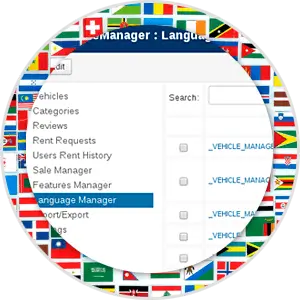
In Vehicle Manager, the admin can change language variables using a convenient tool for this - Language Manager. These variables are stored in one file, that can be translated, and other languages can be added. Thanks to the community, Vehicle Manager is already translated into such languages: Arabic, Bosnian, Brazilian, Danish, Dutch, English (default), Farsi, French, German, Greek, Hungarian, Italian, Lithuanian, Macedonian, Norwegian, Polish, Portuguese, Romanian, Russian, Slovenian, Spanish, Turkish. The language pack is included in Vehicle Manager Pro, and the component will automatically pick up the main language of the website.
Set of additional modules, plugins and templates
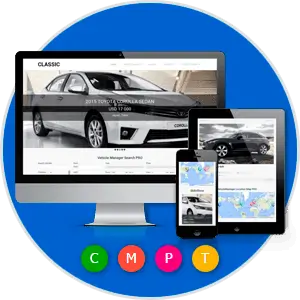
Vehicle Manager is not just Joomla car dealer rent software; it also contains all the needed modules and plugins designed to Build a car website or build a car dealer portal. Joomla modules for Vehicle Manager include Featured, Search, Similar, Slideshow, Touch slider, Location map. Plugins for Vehicle Manager include Search, Link in Content, SEO plugins (Xmap(OSMap), SEF URLs, and Meta Tags). Further information about these modules and plugins can be found on the Modules and Plugins tab at the top of the page. Also, in the Vehicle Manager Pro Package, the Quickstart of Classic Vehicle Manager template is included. In just a few minutes, you will be able to install the same auto dealership website as the demo.
Professional Support

With dedicated professionals on hand to address any concerns or questions, users can feel confident that their needs will be met promptly and effectively. Contact Us.
What our clients are saying?
With more than 5 years of development, 100 point score on JED and thousands of happy customers worldwide we are confident in the quality of our product. See what our clients say about Vehicle Manager Joomla automotive Extensions.
"Excellent usability, easy to customize, and also, when I meet problem which I was unable to resolve - I've received fast and qualified assistance just by first request (I have commercial version). Best solution for car shop or car rentals!"
"A comprehensive and well thought out extension. Initially I had a couple of setup issues but simply by asking the appropriate questions in their Support Forum I quickly got the answers I needed. It is a lot more flexible than I first thought and the fact that there are both free and paid versions meant that I have been able to fully evaluate both the main component and the truly excellent modules that support it seamlessly and then was easily able to convince my client that we need to go Pro!"
"The best joomla component for rental car. Its easy, nice, compatibile, quick and easy for manage. This is a best for this money, you can not buy better."
"I works very well on my car page, and the support is great. I must have asked over 30 questions - and got a good answer everytime. It is also possible to get a good customized version. I recommend this :)"
"I am pleased with the function of the program it produces a very nice interface for adding & managing vehicle, rentals & sales. The name is a little misleading. Vehicle Manager is far more geared towards car sales/rentals. Thankfully they've had the forethought to build up the program with language files and so I was able to convert most of the fields to the boat terms my site needed."
"Used the module for rental, tried the free extension,bought the pro version, needed to add some custom work done really well by the team. Very friendly, easy to understand interface. Quick and efficient support. Documentation easy to understand for non-developers"
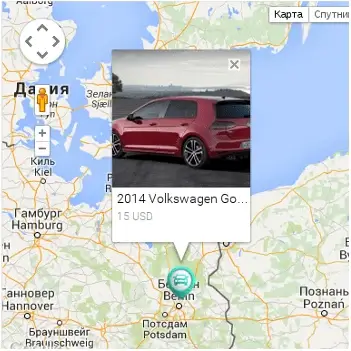
Google Location Map for Vehicle Manager (Free & Pro)
Google Location Map is module that helps to show the cars (or other vehicles) from Vehicle Manager on the map. There are two layouts in this module: default and with search. Layout with search displays not only map with vehicles, but also search with fields: Address, Range and Category. Users will be able to select address and distance from this place and see all available vehicles in this area.
Options of Location Map module are:
- Ability to set Width/Height of Google Map (px)
- Show/Hide Menu of Map Type (Map, Satellite)
- Show/Hide Controls of Map (Up, Down, Left, Right)
- Ability to set Number of Displayed Vehicles
- Ability to set IDs of Displayed Categories
- Ability to set IDs of Displayed Vehicles
* Free version includes links on ordasoft.com
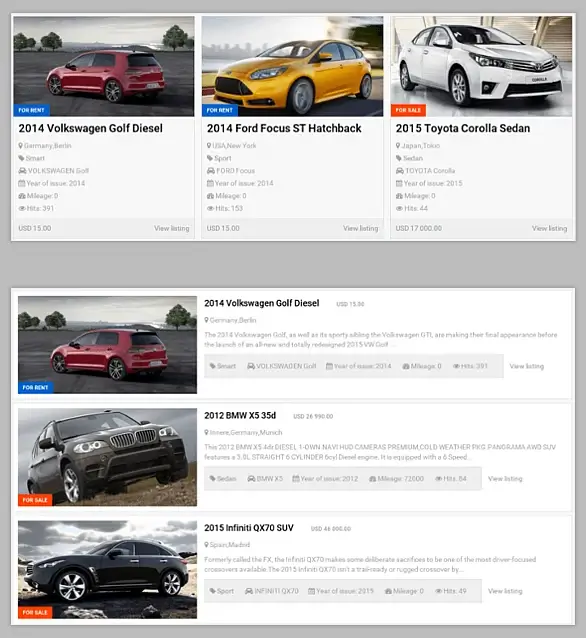
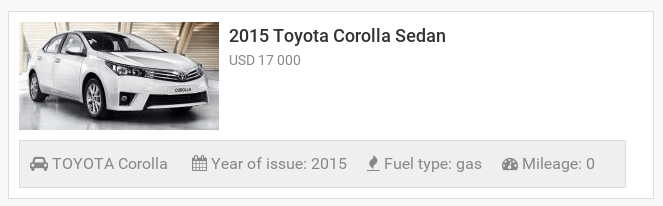
Featured Module for Vehicle Manager - Car rental dealer software (Free & Pro)
Featured is module that displays vehicles selected by such parameters: last added vehicles, featured vehicles, random vehicles and top vehicles. Also, you can specify height and width of images, set orientation (horizontal or vertical) and more.
Other Options of Featured module:
- Show/Hide Vehicle's Category
- Show/Hide Hits
- Show/Hide Description
- Show/Hide Price
- Show/Hide Link to listing
- Ability to set IDs of Displayed Categories
- Ability to set IDs of Displayed Vehicles
Also displays similar vehicles by chosen criteria, such as category, fuel type or maker.
Other Options of Similar Module are:
- Ability to set number of displayed vehicles
- Choose Image Source Size
- Ability to set CSS style for Title, List
* Free version includes links on ordasoft.com
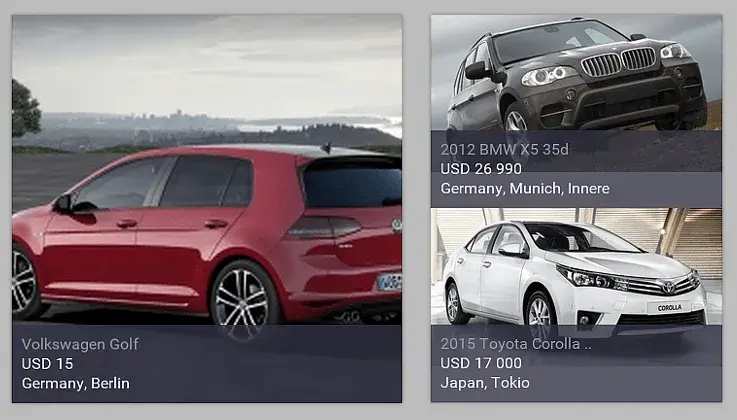
Slideshow Module for Vehicle Manager (Free & Pro)
Slideshow Module displays vehicles from Vehicle Manager - joomla car rental software in nice-looking slideshow. A lot of options can be configured - set number of vehicles per slide, sort vehicles by different criterias (random, last added, popular, title, price), Width/Height of Image in px and more.
Also in Slideshow you can:
- Show/Hide Title
- Show/Hide Address
- Show/Hide Description
- Show/Hide Price
- Link/Unlink Title, Price, Description, Address
- Ability to Set IDs of Categories to display cars from these categories
- Ability to set IDs of Displayed Vehicles
* Free version includes links on ordasoft.com
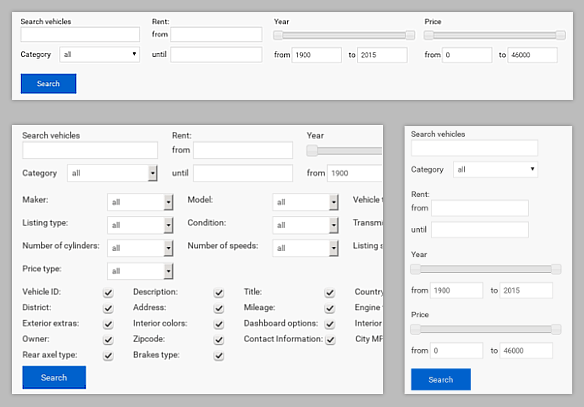
Search Module for Vehicle Manager (Free & Pro)
Search Module helps to search vehicles from Vehicle Manager. You can show or hide different default parameters for search - category, rental availability, price (with moving slider), year of issue and much more.
Advanced Options of Search Module:
- Show/Hide Maker, Model list
- Show/Hide Drive Type, Listing Type
- Show/Hide Condition Status List
- Show/Hide Other Technical Characteristics of Vehicle
- Show/Hide Custom Fields
* Free version includes links on ordasoft.com
* Free version includes links on ordasoft.com
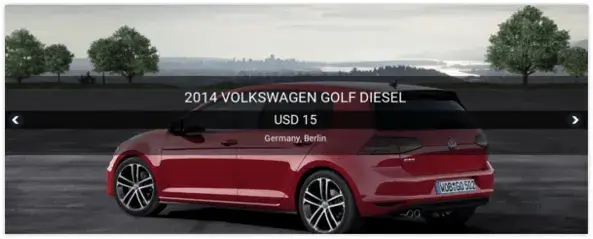
Module Touch Slider for Vehicle Manager car management software (Pro)
Touch Slider is slideshow module for Joomla that supports touch navigation. Touch Slider for Vehicle Manager - car management software is 100% responsive and provides an optimal viewing experience across a wide range of devices.
Here are just several options of Touch Slider Joomla module:
- Number of vehicles per slide
- Number of vehicles in slider
- Width/Height
- Scrolling Vertical/Horizontal
- Show Title Yes/No
- Link Title Yes/No
- Show Description Yes/No
- Link Description Yes/No
- Show Price Yes/No
- Link Price Yes/No and more...
Joomla plugins for Vehicle Manager
Search plugin for Vehicle Manager (Free)
Search plugin allows searching vehicles (car, truck, bus and other) from vehicle manager directly through the default Joomla search in your car dealer website.
Link-in-content plugin for Vehicle Manager (Free)
Vehicle Manager link-in-Content Plugin. This plugin for "car rental dealer software" allows to add link to vehicle items into content website. It shows caption, photo and title.
SEF URLs plugin for Vehicle Manager (Free)
SEF URLs plugin is SEO plugin based on sh404SEF for Vehicle Manager. It generates Search-Engine-Friendly URLs, which are useful in SEO and readable for users
Xmap(OSMap) plugin for Vehicle Manager (Free)
Xmap plugin is SEO plugin for Vehicle Manager Software that allows to add sitemap in your auto dealer website. SEO plugin for Vehicle Manager comfortable with OSMap, mapX and Xmap.
Meta Tags plugin is SEO plugin for Vehicle Manager Software that generates title, meta keywords and meta descriptions for every vehicle.
Xmap plugin is SEO plugin for Vehicle Manager Software that allows to add sitemap in your auto dealer website. SEO plugin for Vehicle Manager comfortable with OSMap, mapX and Xmap.
PayPal / 2Checkout / Stripe plugin for Vehicle Manager (Pro)
Paypal/2Checkout/Stripe plugins enables to implement function of buy and rent in Vehicle Manager, Joomla car rental dealer software. PayPal/2Checkout/Stripe plugins is available only in PRO version of Vehicle Manager - car rental software.
Features of Vehicle Manager - Joomla car rental software
#Features
Basic
Pro
Full Category & Subcategory support
Integrated [Search Vehicles] function
Integration with Google map API
Tab Users interface
Possibility add new special price for vehicle
Rotate image according to EXIF-orientation data
PayPal payment gateway support
Stripe payment gateway support
2Checkout payment gateway support
Possibility added special icons for map(Google and OpenMap) markers
Added possibility create new vehicles as "clone" from created before
Added possibility set number of cars which user from some group can add from frontend
Rent (booking) vehicle per day or per night
User Buy (sale) Request for car with calendar
Added possibility to set how many photos per car permit add per user group member
Possibility add new Vehicle items (vehicle, car, truck) from frontend (from site)
Extended Search
SEO and SEF support
Site map support
Extended Lend manager
Possibility Hide tabs in car layout
Vehicles gallery
Simi automatic mode update of extension
Responsive Layouts (Adaptive for mobile devices layouts)
Possible set the fields "Year of issue", "Mileage", "Price" as Mandatory fields
Possibility order vehicles by Date, by Price, by Model, by Title, by User manual
Possibility batch upload of photos for Vehicle
Added FancyBox 3 support for show vehicle images with touch for mobile devices
Added touch slider support for show vehicle images
Added watermark support for images of vehicle
Languages
Basic
Pro
Fully language aware frontend and backend
English included, other languages can be downloaded from the website
Languages file included: Arabic, Bosnian, Brazilian, Danish, Dutch, English (is default), Farsi, French,
German, Greek, Hungarian, Italian, Lithuanian, Macedonian, Norwegian, Polish, Portuguese, Romanian, Russian,
Slovenian, Spanish, Turkish
Frontend General
Basic
Pro
Category & Subcategory show in Joomla pathway
Button [Add Vehicle] with users Right manager
Main Category list now shows Subcategories
Hide direct link to eDocument download (show internal Joomla URL)
Hide eDocument download link from download managers
Button [Add Reviews] with AJAX show-hide form
Captcha or Google reCaptcha
Show eDocument download license before allowing eDocument download
Create menu item to car category
Create menu item to Car owner list
Create menu item to My Vehicles
Create menu item to some owner/dealer car
Possible add RSS button with Right settings
Possible add PDF button with Right settings
Possible add SendLink button with Right settings
Community and Frontend Vehicle Management
Basic
Pro
Community builder plugin. Connect Vehicle Manager with Community builder component
Users can Add and Delete Vehicle items from frontend
Users can Publish and Unpublish Vehicles from frontend
Users can Rent and Buy request manage from frontend
Manage Vehicle
Basic
Pro
Sorting improvements in [Vehicle Manager]
[Print Report] option with fields choice in [Vehicle Manager]
Added checks for empty VehicleID to [Vehicle Manager]
Possibility to customize eVehicle download URL
Administrator can add a direct link to an eVehicle
Allow external mambots in Vehicle descriptions
Admin possibility approve/unapprove/publish/unpublish any car on site
Admin possibility set option for auto publish/ approve cars from users with possibility check User Right
groups
Possibility set cars model
Possibility extend current cars models set - simply
Sort vehicle by price / title / model / date / user define with help Drag & Drop
Manage Categories
Basic
Pro
Possibility to assign different custom images to each Category (instead of having one standard icon for
all)
Sorting improvements in [Category Manager]
Support multicategories (one car save in many categories)
Access settings for categories (Now admin can set User Group - who can access to Vehicles from this
category)
Manage Reviews
Basic
Pro
Vehicle Review Management per single Vehicle
Option for publish review with Rights settings
[Review Manager] for admin. Where admin may remove, edit, approve reviews for car
Email to admin when [User Review] added
Manage Captcha
Basic
Pro
[Option use Captcha or Google reCaptcha]
Option: use or not Captcha for add review to vehicle with Rights settings
Option: use or not Captcha for Booking a vehicle with Rights settings
Option: use or not Captcha for "add vehicle" with Rights settings
Option: use or not Captcha for Buy Request(send message) to vehicle with Rights settings
Manage Rent Requests
Basic
Pro
Rent Request Manager in backend
Email to admin when Rent Request submitted
Manage Buy Requests
Basic
Pro
Buy Request Manager in backend
Email to admin when Buy Request submitted
Email to user about solution admin of buy request
Template for email what we send to user about solution admin of buy request
Import / Export
Basic
Pro
CSV import/export
XML import/export
Full data import/export
Added explanations in [Import] and [Export] tabs
Configuration Frontend
Basic
Pro
Option [Show Contacts] with rights settings
Option [Show Location tab] with rights settings
Option [Show Reviews tab] with rights settings
Option [Review Notification] with rights settings
Option [Buy Request Notification] with rights settings
Option [Rent Request Notification] with rights settings
Option [Show Rent status] and [Allow Rent Requests] with rights settings
Option Show button [Add reviews] with rights settings
Option Show button [ Add Vehicle ] with rights settings
Option [Show Vehicle Price]
Option [Show Vehicle Price] with rights settings
Option [Show eDocument Download Link] with rights settings
Option [Show eDocument Download License] before download
Option [Set Vehicle Cover Size]
Option [Set Items Per Page]
Option [Custom Category Images]
Option [Show Owner vehicle] on frontend
Option [Show vehicle owner list] on frontend
Option [Set Image Size] gallery view
Configuration Backend
Basic
Pro
Set email addresses for [Review Notification]
Set email addresses for [Buy Request Notification]
Set email addresses for [Lend Request Notification]
Option [VehicleID auto-increment] or manual entry
Option [eVehicle Support] with location setting
Option for choose map API from Google or OpenMap (OpenLayer)
Option for Google map API key
Configuration For Search
Basic
Pro
Show map for layout search results
Show search form on nothing found page
Show search form on result search page
Options for search button
Options for show/hide fields in advance search (for all (every) fields (field) except features fields)
Options for show/hide Features fields in advance search (for all (every) features fields (field))
About Vehicle Manager
Basic
Pro
Added links to VehicleManager website
Sample Data
Basic
Pro
Sample data at installation time (for starting users)
Vehicle Manager Documentation
#How to create and edit vehicle categories in Vehicle manager - Joomla Car rental software for build car rental website
How to Manage and edit reviews in Vehicle Manager - car rental dealer software, for rent and sell cars
How to Export Vehicles to CSV, XML and full XML in Vehicle Manager - Joomla car rental dealer software
Joomla Car Dealer Templates
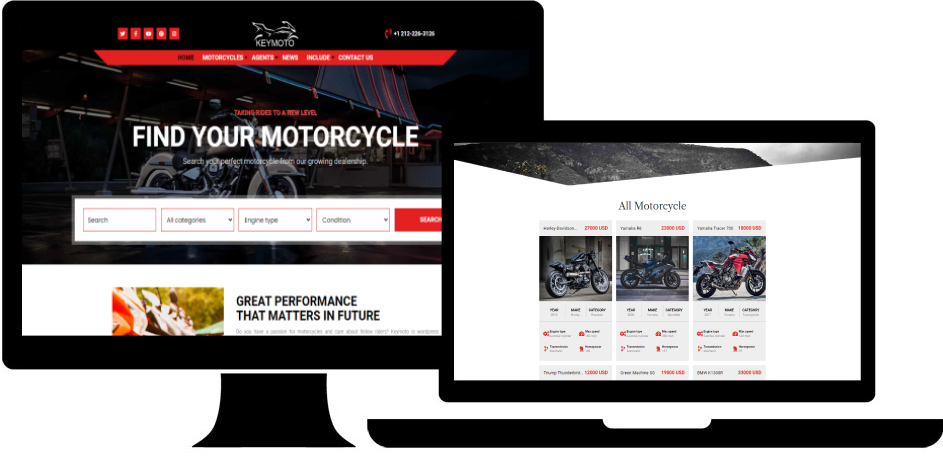
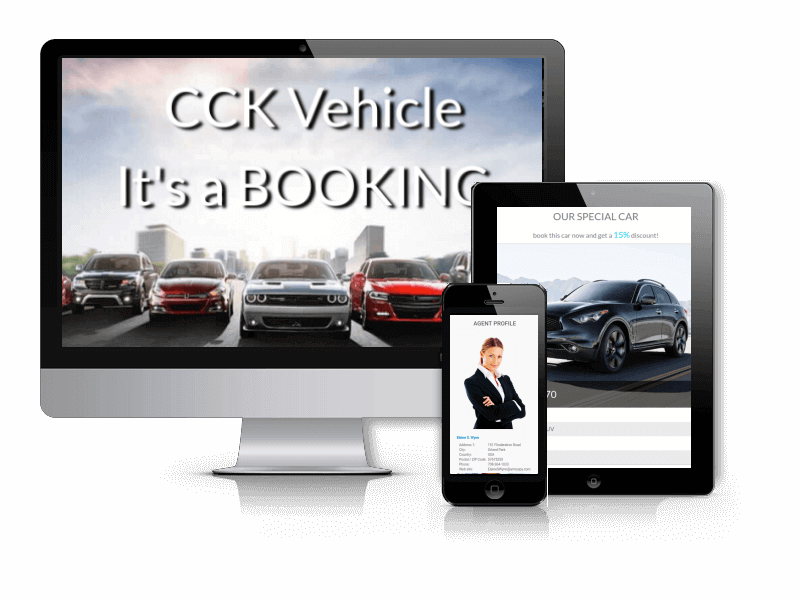
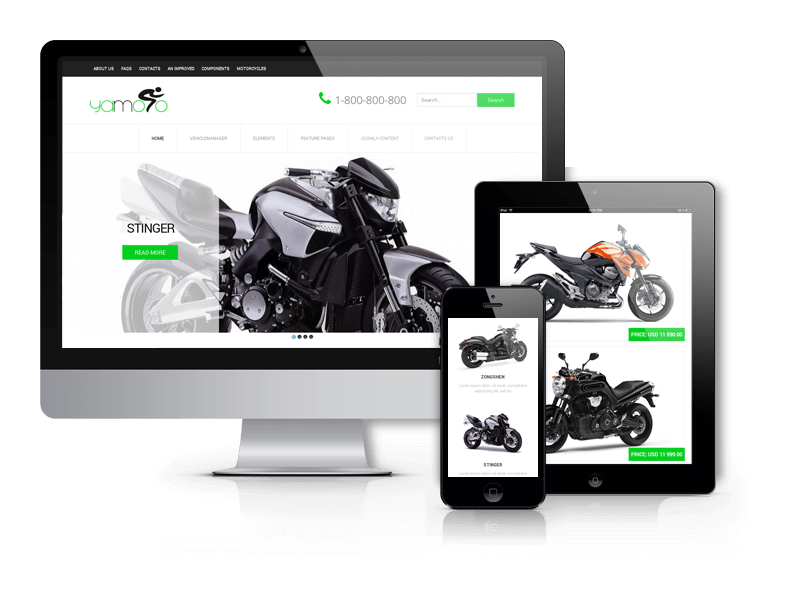
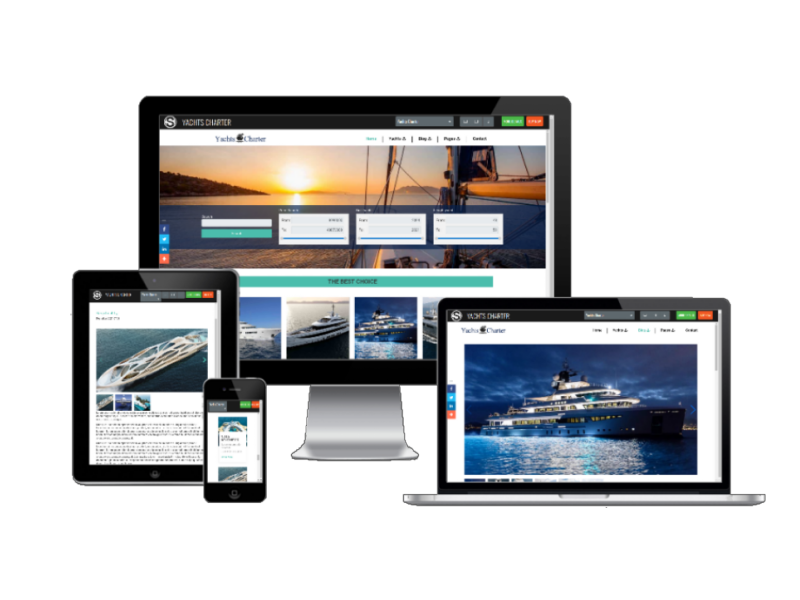
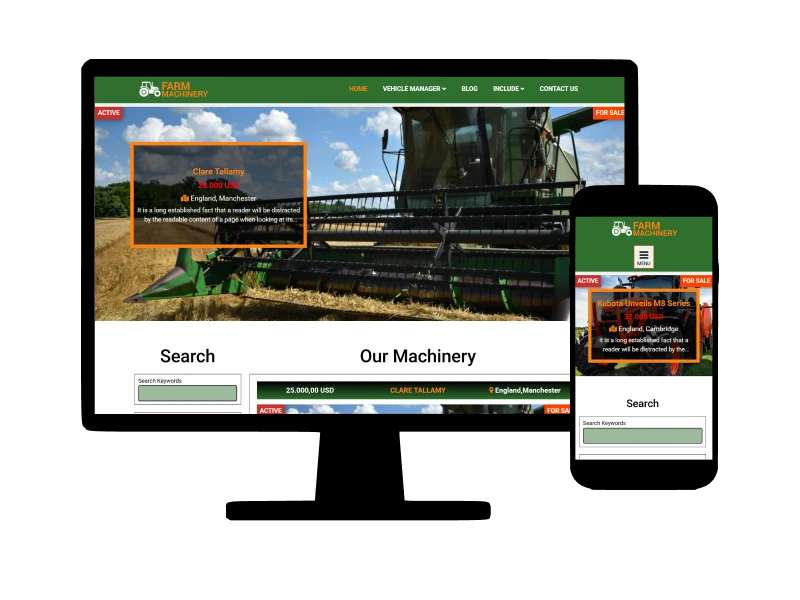
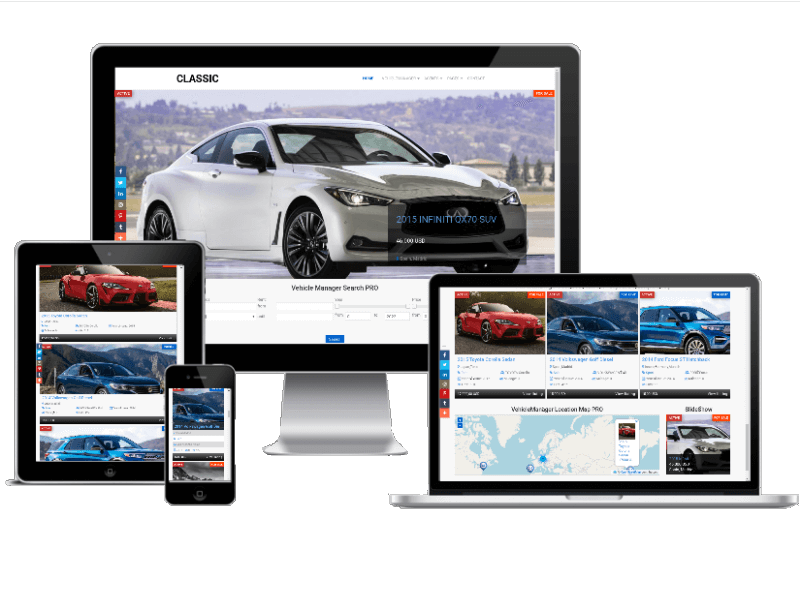
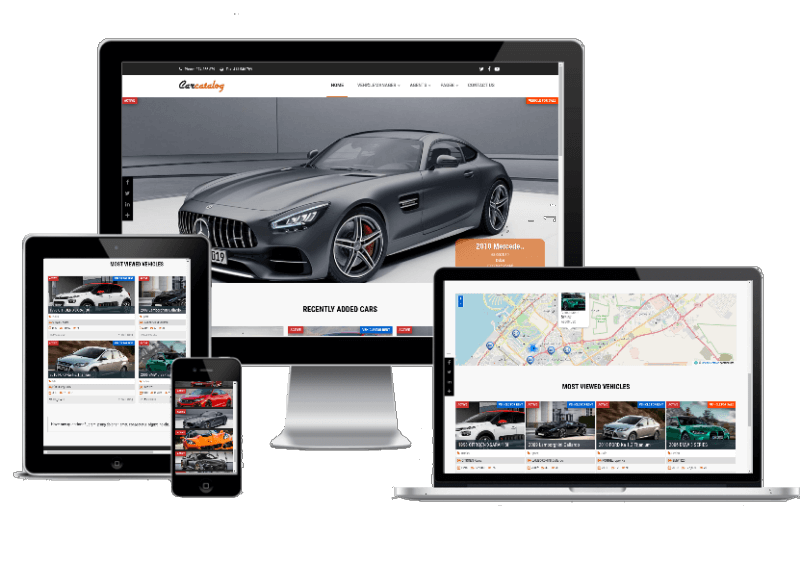
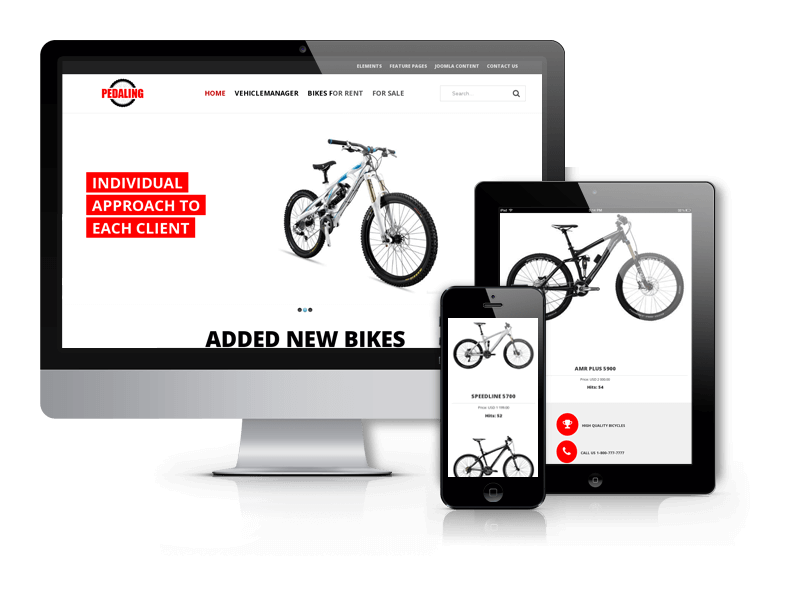
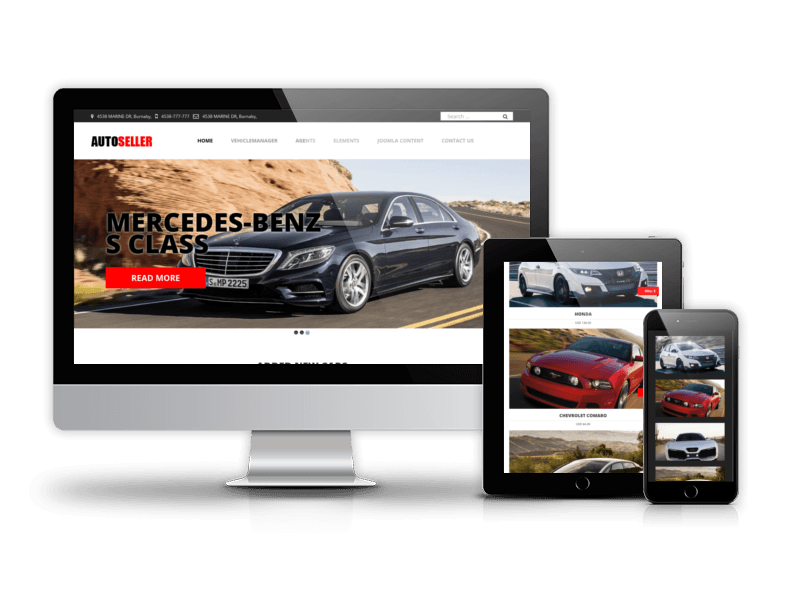
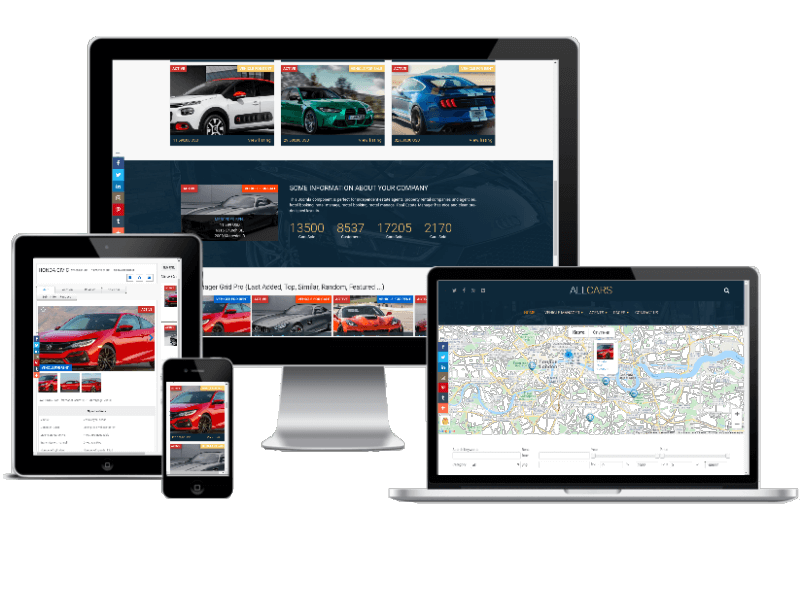
Check out our best Car & Vehicle Templates for create vehicle website. These themes are perfect for showcasing a range of different vehicles, including trucks, boats, bike, buses and cars, and they come with useful features like responsive layouts, support for Google Fonts, Vehicle Manager Software, Bootstrap based designs, HTML5 and CSS3 code, cross-browser compatibility. All car dealership website templates have Quickstart packages, which allow to get full vehicle website in few minutes.


Change-list of Vehicle Manager
Release 6.1 PRO,Free March 2022
- Added Joomla 4.2 support
- Added PHP 8.1 support
- Added new layouts
- Bugs fix
Release 6.0 PRO,Free October 2021
- Added Joomla 4 support
- Added PHP 7.4 support
- Bugs fix
Release 5.0 PRO,Free December 2020
- Added Stripe Payment gateway support
- New RSS layouts
- New PDF and Print view layouts
- Added new version of the TCPDF
- Added activation
- Added update to Pro version
- Joomla 4 alfa support
- Speed optimization
- Common files for all OrdaSoft products
- Changes CAPTCHA check algorithm
- Save old cities, regions, countries settings after update
- Save old makers and models settings after update
- Save review data if captcha incorrect
- Save Buy request data if captcha incorrect
- Save Rent Request data if captcha incorrect
- Bugs fix
Release 5.0 PRO,Free July 2019
- Added OpenMap (Open Layer)
- Added features in advanced search
- Added field phone in tab Book Now
- Added image autorotate according to EXIF-orientation data
- Added search by location(by radius)
- Added address autocomplete for search
- Changes CAPTCHA check algorithm
- Added sorting features by alphabet
- Change config save for update
- Added features in advanced search
Release 4.1.47 PRO,Free November 2018
- Add support Joomla 3.9
- Many CSS and errors fix
Release 4.1.18 PRO, December 2017
- Updated reviews tab show/hide 'add review' button
- Updated swiper slider
Release 4.1.1 PRO, October 2017
- Added Watermark
- Added Draggable ordering in vehicles and categories
- Added Listing status flag
- Added Last ver. TCPDF library
- Added search by in vehicle list(admin) & six search field in frontend myvehicle view
- Added possible use price as search
Release 4.0.0 PRO, June 2017
- Added options on Frontend Setting tab:
- 01. Show/hide google captcha
- 02. Redirect after rent request
- 03. Redirect after buy request
- Added options on Global Setting tab:
- 04. Show/hide field Year of issue
- 05. Show/hide field Mileages
- 06. Show/hide field Price
- 07. Show country, region and city as text field
- Added options on Email and Notification Settings tab:
- 08. Send reply to for rent request notification
- 09. Send reply to for buy rent request notification
- 10. Add Search Settings tab
- Added options on Search Settings tab:
- 11. Show/hide search form on nothing found page
- 12. Show/hide search form on result search page
- 13. Show/hide search button on frontend
- 14. Show/hide search keywords
- 15. Show/hide available for rent
- 16. Show/hide year of issue
- 17. Show/hide price of vehicle
- 18. Show/hide condition status
- 19. Show/hide listing status
- 20. Show/hide transmission type
- 21. Show/hide maker
- 22. Show/hide drive type
- 23. Show/hide vehicle model
- 24. Show/hide number cylinders
- 25. Show/hide vehicle type
- 26. Show/hide number speeds
- 27. Show/hide listing type
- 28. Show/hide vehicle fuel type
- 29. Show/hide vehicle price type
- 30. Show/hide vehicle number doors
- 31. Show/hide vehicle category
- 32. Show/hide vehicle ID
- 33. Show/hide vehicle description
- 34. Show/hide title
- 35. Show/hide address
- 36. Show/hide country
v.3.9.9 PRO, May 2017
- 01. Added Support Joomla 3.7
- 02. Added Support PHP 7
- 03. Errors fix
v.3.9 PRO, 30 August 2016
- 01. Added Wishlist
- 02. Added ability to Hide Contact Agent/Rent tab
- 03. Added Google API key field
- 04. Added layouts for search results
- 05. Added API key field in Location map module
More details about Vehicle Manager v.3.9
v.3.8 PRO, 23 June 2016
- 01. Changed behavior of Browser Page Title
- 02. Added Captcha for Booking and Sales forms
- 03. Added new update algorithm
- 04. Updated security algorithm
- 05. Updated Featured Module for Vehicle Manager
- 06. Updated Google Location Map for Vehicle Manager (Layout with search)
- 07. Added fully support of sh404SEF component
- 08. Added new settings for subcategory
- 09. Added new fields for email notifications.
More details about Vehicle Manager new features and updates
v.3.7 PRO, 14 December 2015
- 01. Added support of parallel (commission) payment through PayPal.
- 02. Images of gallery become sortable.
v.3.6 PRO, 03 September 2015
- 01. Added support of Currencies: Israeli new shekel, Mexican peso, Philippine peso, Pound sterling, Thai baht. (New version should be used with updated PayPal plugin)
Location Map module, 19 August 2015
- 01. Added layout with search. Now you can filter vehicles by Address, Range, Category on the map
v.3.5 PRO, 4 August 2015
- 01. Added details of orders
- 02. Added crop image option
- 03. Added users rent history menu
- 04. Added support video and tracks
- 05. Added listing status images
- 06. Added load constants button in language manager
- 07. Added editable field Owner ID
- 08. Added support calendar rent by day/night
- 09. Changed standard calendar, it now shows the date when the rent is not available
- 10. Changed clone vehicle function, now it keeps the same vehicle ID
- 11. Redesigned calendar in rent/buy requests
- 12. Redesign of Vehicle Manager component and modules (Location Map, Featured module)
- 13. Redesigned markers Google
- 14. Added more convenient method of updating, now you can install new version of Vehicle Manager without removing Database, all images and vehicles that were in your old version will remain in the new version (We still recommend you to make backup of your website before update)
- 15. Fixed bug with Import-Export
- 16. Fixed bug with number of uploaded images
Read more about update in this article
v.3.0.3 PRO, 10 October 2014
- 01. Added connect rent or buy to real payment with help Paypal
- 02. Added language associate vehicles on Editing(Adding) vehicles
- 03. Added rent of cars, trucks, buses, boats and other vehicles for night
- 04. Possibility added special icons for Google map markers
- 05. Added Apply button, while added new cars, trucks, buses, boats and other vehicles
- 06. Added new option "clone" in the backend
- 07. Show column language in the backend
- 08. Added special price options on Editing Vehicles in the frontend
- 11. Language option on Editing(Adding) Vehicles in the frontend
- 12. Possibility add new special price to cars, trucks, buses, boats and other vehicles
- 13. Added order tab at backend
- 14. Fixed calendar of rent vehicles
- 15. Added possibility set how many vehicles per user group member - show to frontend
- 16. Added possibility set how many photos per vehicles permit add per user group member
- 17. Added New import/export
v.3.0 PRO, 6 November 2013
- 01. Updated Google map with the second version of the API for the third. Now there is no key
- 02. Added new fields: Country, City, Region, District and ZIP Code
- 03. The data is now stored in the database as the index
- 04. Compress uploaded photos to a size of 800x600
- 05. Check-out is not permanent, and two hours
- 06. Opportunity to leave the field blank, at its discretion, except vehicleid, category and title
- 07. Clickable icons in the frontend, as the list of categories and a separate vehicle
- 08. Added to the test installs "Fatal error: Class 'domDocument'"
- 09. Removed columns to display in the frontend and the possibility of their choice in backend
- 10. Redesigned the main vehicle image in its absence
- 11. Fixed pagination (replaced by jimport)
- 12. Fixed bug with jquery and lightbox
Vehicle Manager Editions
Select your Vehicle Manager edition and Build a car website
Basic
FREE
- 1 Layout (All Categories)
- Backend Management of Car Rental and Selling
- Separate Language Pack
- 10 Free Modules and Plugins
(?) Free Featured Module
Free Location Map Module
Free Search Module
Free Similar Module
Free Slideshow Module
- Default Search
- Review System Integrated
PRO
$39
Basic Features
- 10+ Layouts and Views
(?) All Categories (Default)
All Categories (Image)
All Vehicles (Default)
All Vehicles (List)
My Vehicles
Owners List
Single Category (Default)
Single Category (List)
Search (Default)
Search (Advanced)
View Vehicle - Frontend and Backend Management of Car Rental and Selling
- Integrated Language Pack
- Extended Search
- System of Email Notifications
- Import/Export
- PayPal/2checkout/Stripe integrated
- 20% renewal discount
we support payment systems