News
Vehicle Manager
Vehicle Manager - new version here!!!
We released a new version of Joomla Vehicle Manager - Joomla Vehicle Extension. We much work, and added very useful and excellent features for create websites with your vehicles. Now creating Joomla Vehicles site more cheap, more simply and ... So, let's go:
In new version of Vehicle Manager you see:
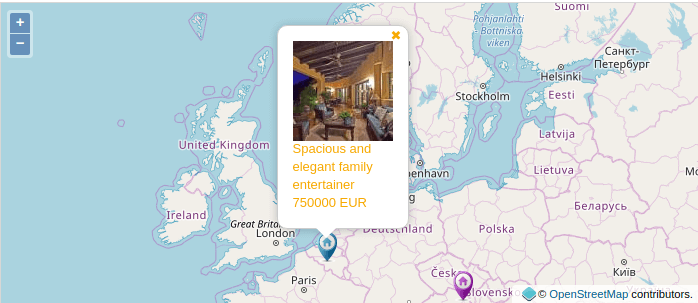
1. OpenMap ( Open Layer )
YES, YES, Yes. We added in joomla Vehicle manager possibility show your cars with help OpenMap (Open Layer). Now you no need pay for map use!!! Now you may use OpenMap ( Open Layer ) API full free!!!. You more no need pay for use Google Map API. Free Map tools from OpenMap ( Open Layer ) already in our vehicles manager.
We not removed Google Map API, so you may continue use Map Service From google for create your vehicles sites.
Support OpenMap API ( Open Layer API ):
2. OpenMap Geocoding and search cars by radius
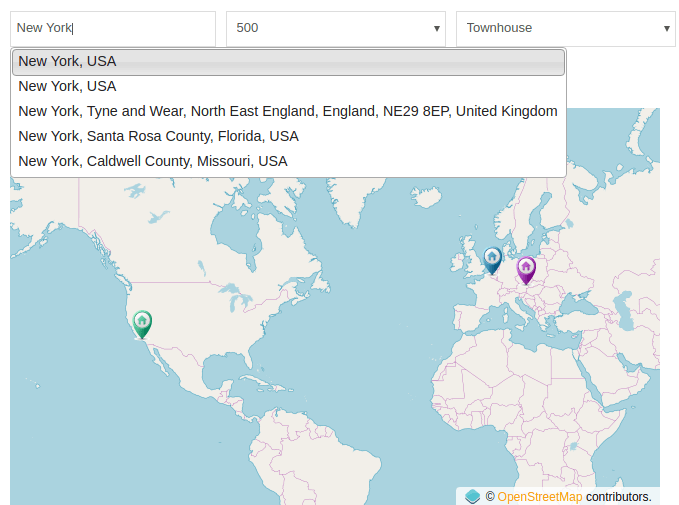
We add to Vehicles Advance search possibility search nearest cars by radius!!!. Now you: type your address and our cars search check latitude and longitude for this address. And we show to you the nearest cars in search result
Use OpenMap API ( Open Layer API ) let not only show your cars on map. Now we added receive latitude and longitude of cars by address with help OpenMap API ( Open Layer API ). So now you may use free geocoding (geolocation) from Open Map.
3. Rotate image with Exif data
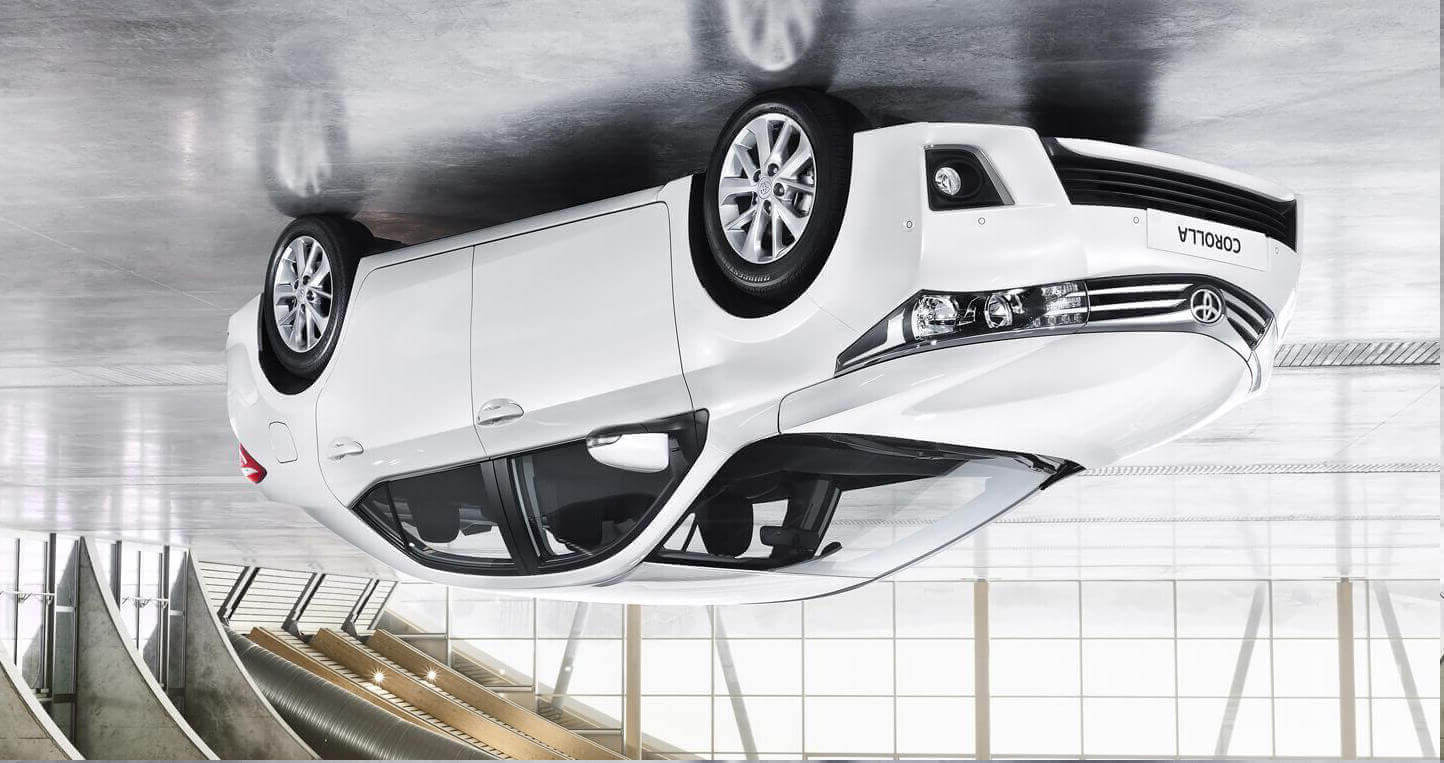
You not wish rotate photos from mobile phones for your vehicles. Now to Vehicle Manager we added support EXIF data. So all your image will show correctly
4. Added Features fields to cars search
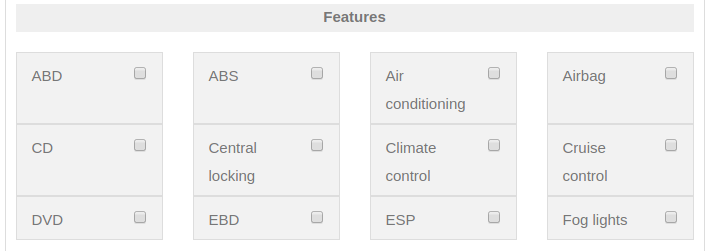
Do you remember in our Joomla Vehicles software you may create and add any Feature field to every car? Now we added Features fields to Cars advance search layout. So now you may extend your advance car search layout to any feature field.
ALSO: now you no need create new feature field for every language, Now in Vehicle Manager we added possibility translate Features fields with help Vehicle->Language Manager
5. Another features of Joomla Vehicle Manager...
- We changed how Captcha work. We added captcha to every Vehicle Manager add form.
- We added Captcha to Free version our Vehicle software.
- We update all plugins and Modules for Vehicle Manager.
- We changed design and refresh all our Vehicle Templates, Now all our Vehicles QuickStarts created with use most resent Joomla version and Most resent OrdaSoft Components and Modules
Real Estate Manager
Real Estate Manager - new version here!!!
We released a new version of Joomla Real Estate Manager - Joomla Property Extension. We much work, and added very useful and excellent features for create websites with your properties. Now creating Joomla Properties site more cheap, more simply and ... So, let's go:
In new version of Real Estate Manager you see:
1. OpenMap ( Open Layer )
YES, YES, Yes. We added in joomla Real estate manager possibility show your houses with help OpenMap (Open Layer). Now you no need pay many for map use!!! Now you may use OpenMap ( Open Layer ) API full free!!!. You more no need pay for use Google Map API. Free Map tools from OpenMap ( Open Layer ) already in our properties manager. We not removed Google Map API, so you may continue use Map Service From google for create your properties sites.
Support OpenMap API ( Open Layer API ):
2. OpenMap Geocoding and search properties by radius
Use OpenMap API ( Open Layer API ) let now not only show your houses on map. Now we added receive latitude and longitude of properties by address with help OpenMap API ( Open Layer API ). And ALSO: we add to Houses Advance search possibility search nearest properties by radius!!!. Now you: type your address and our properties search check latitude and longitude for this address. And we show to you of nearest properties in result which you set
3. Rotate image with Exif data
You not wish rotate photos from mobile phones for your Properties. Now to Real Estate Manager we added support EXIF data. So all your image will show correctly
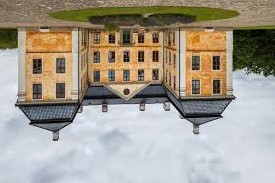
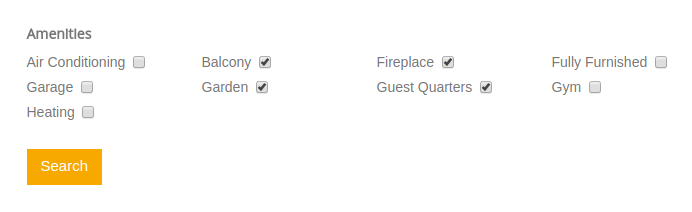
4. Added Amenities to properties search
Do you remember in our Joomla Properties software you may create and add any amenities to every house? Now we added amenities to Properties advance search layout. ALSO: now you no need create self amenity for every language, Now in Real Estate we added possibility translate amenities with help Real Estate->Language Manager
5. Another features of Joomla Real Estate Manager...
We changed how Captcha work. We added captcha to every Real Estate add form. We added Captcha to Free version our Properties software. We update all plugins and Modules for Real Estate Manager. Also we changed design and refresh all our Real Estate Templates, Now all our Properties QuickStart created with use most resent Joomla version and Most resent OrdaSoft Components and Modules
OS Joomla Image Gallery new version
OS Joomla Image Gallery
New Version of Image gallery is Here
We released a new version of Responsive Joomla Gallery - Joomla photos Gallery Extension. There are we added very useful and excellent features for represent your beautiful websites. So, let's go:
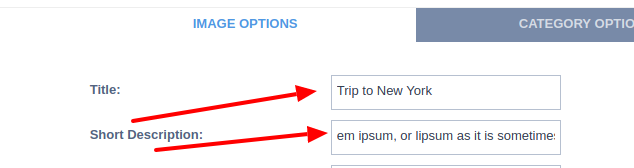
1. Show Title and Description
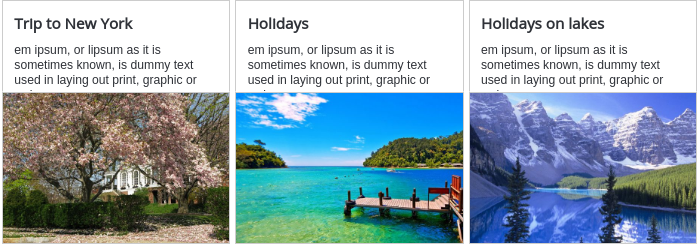
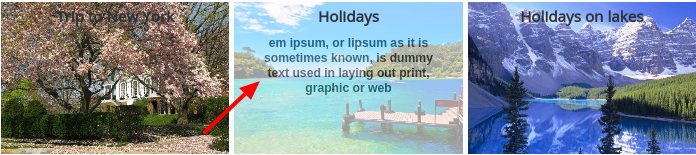
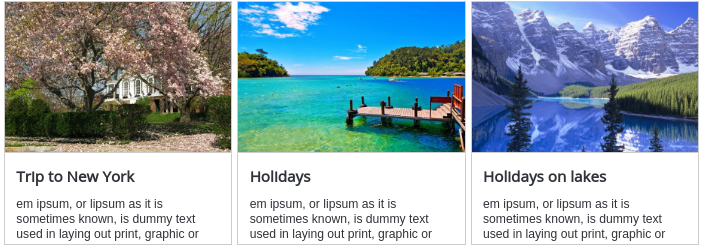
We added in joomla responsive images gallery possibility show image title and description for every photo. You now may set where show title and photo description: none, over image, top of image or button of image. Also you may manage how many letters for Image Title and Image Description show. This features you may add to any Joomla Gallery layout with any image hover effect for OS Responsive Image Gallery
Add image title and description to image gallery:
Show photo title and photo description top of images:
Show photo title and photo description over of images:
Show photo title and photo description bottom of images:
2. Images search module
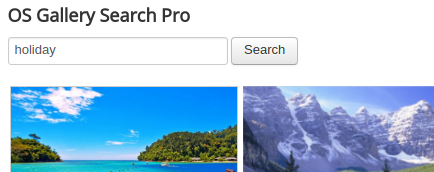
We created Images search module for OS joomla photo gallery. Now you may permit to your customers to search of images. You may configure do search by image title text or image description text
3. Ordering of images
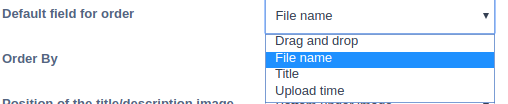
Now you may not only ordering of images with help Drag & Drop. Now you may ordering images with Title, File name, date time adding and Drag and Drop. So now you receive more control for "images ordering"
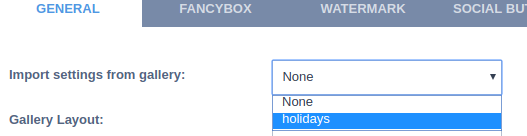
4. Import setting from another gallery
Now in OS Joomla Responsive Image Gallery you no need every time set exactly settings for every your Photo Gallery (some ours clients has more 100 images galleries). Now you may import settings from another your "Photo gallery" which you already created and configured .
5. Another features of Responsive Joomla Gallery...
We add more image hover effects to Joomla Photo Gallery. We save all old beautiful effects and features. Now with help OS Joomla Image Gallery you may create any excellent images - content presentations with full detail description and excellent photos
OS Simple Membership
Completely New Version is Here

For a long time we did not release a new version of OS Simple Membership - Joomla Membership Extension. And now it's time to introduce you a super update of our Joomla user component! There are only three of them, but they are very serious. So, let's go:
1. Login via Facebook and Gmail accounts
Everybody uses a variety of social networks every day: Facebook, Twitter, LinkedIn, Instagram and others. So we thought why not make your login form more convenient and fast for your customers? We decided to use the most popular social network Facebook and the most popular email system Gmail. If you are a Facebook or Gmail user, you can sign in with your accounts. For this, your users need to login via Facebook or login via Gmail and go to your website without any problems. It will simplify the life of your users and save their time;)

2. Captcha in Login form
To protect against spammers, we have implemented a Captcha. Use the Captcha in the login form for greater reliability. This will protect you from unwanted users, robots and will not increase the size of the database. You will rarely have to clean the database of your users. It can be disabled/enabled in the module settings.

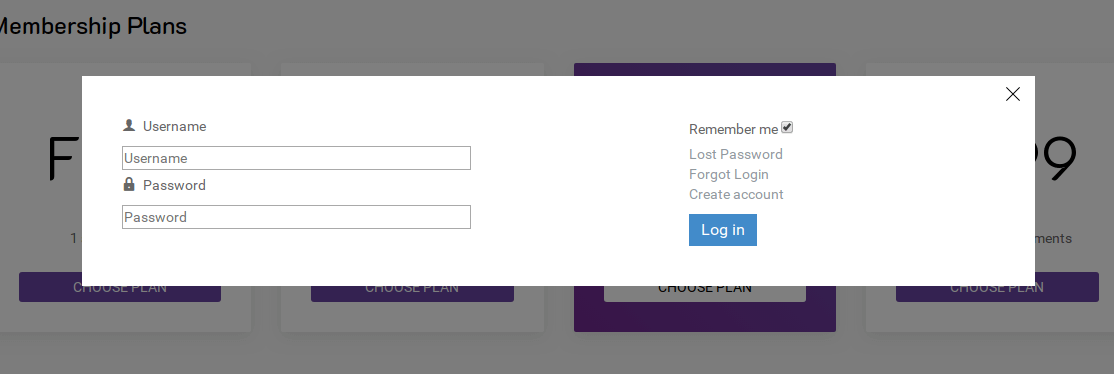
3. Modal login in Simple Membership
In the new version, we added the ability to select the display of the login form: by default (as before) and in the pop-up (Modal snippet). The modal login window can be styled for any website design with the help of CSS. So, pop up login form is very convenient and now our functionality can be entered into any functional.
4. The ability to exchange messages between users
Now you can send messages to users and receive messages from them. This is very especially on advertisement sites. Also using messaging between users you can create a small professional community based on what you do: the community of real estate agents, cars, books, media products, etc. All messages will be displayed in the tab "SMS messages".

5. Support Content Construction Kit for Joomla
All Ordasoft Joomla extensions work well with each other. OS Simple Membership is no exception. It supports Real Estate Manager - Joomla Component for realty management, Vehicle Manager - Joomla automotive extension, Book Library - Joomla eBook Extension, Media Library - Joomla extension and now also supports our new Content Construction Kit for Joomla - OS CCK.

OS CCK new version
Completely New Version is Here

We are constantly improving our products for you, our beloved customers, so that you, in turn will improve your websites for your customers. And today we are glad to present you a new version of our Content Construction Kit for Joomla!
There we have added a lot of useful chips that will help you make a unique website and highlight your business among others. So let's get acquainted with them right now:
1. Support Joomla 3.9.x
2. Added Animate CSS in responsive OS CCK
3. Added ability to display rating as a number
4. Added the ability to display fields from a column in a line
5. Output condition added to fields
6. For Developers: Added possibility set PHP conditions for show fields
7. Added User Instances Layout, There you may see items from some user
8. Added multi-currency output
9. Added category binding to entity
10. Added default image for image field and gallery field
11. Added hover effect for fields in Style setting
12. Added Image show type cover/contain for imagefield
13. Added the ability to send a copy of the letter to the owner of the instance in mail field
14. Added new cover tags for textfield
15. Added alignment for fields
More Articles...
Page 18 of 55
we support payment systems