News
OS Touch Slider v.2.5 - Joomla Slider
Completely New Version is Here

After release the 1st version of Joomla Slider Joomla Slider we have received a lot of feedback from you, and also suggestions for it's improvement. Now it's time to improve it! Meet the new Version 2.5 of OS Touch Slider! And the first we added animation for HTML, copy text/image and insert it with all styles, replacement of images with preservation existing styles. Let's have a look on them in greater detail.
1. Added Animation for HTML
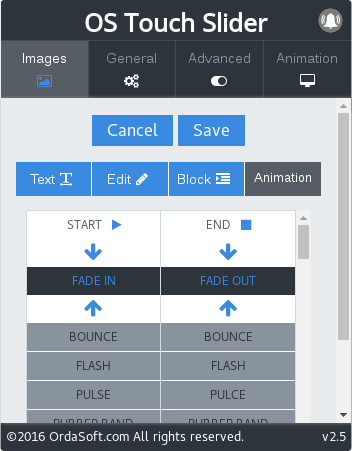
In new version of Joomla Slider we added the animation for html tags. You can insert to slider phrases, words, individual letters and even images and all of them will be animated according to your wishes.
2. Added Copy text and insert it with all styles
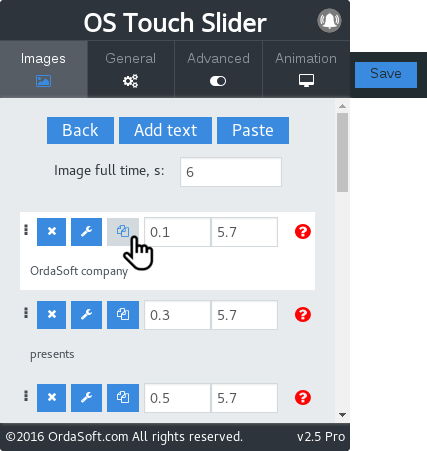
Now you don't need to add the same text several times. Just copy already available text with all it's styles by clicking on the icon "image". It is very convenient and easy!
3. Added Copy image and insert it with all styles
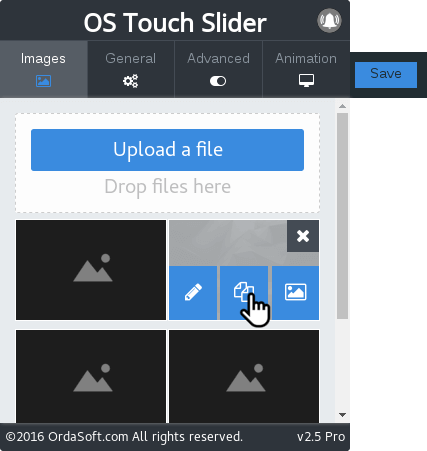
We liked the idea with text and we thought: why not do the same with the images? You can duplicate the image with the text available in it and then replace text or image. We hope you'll evaluate it ;)
4. Added replacement of images with preservation existing styles
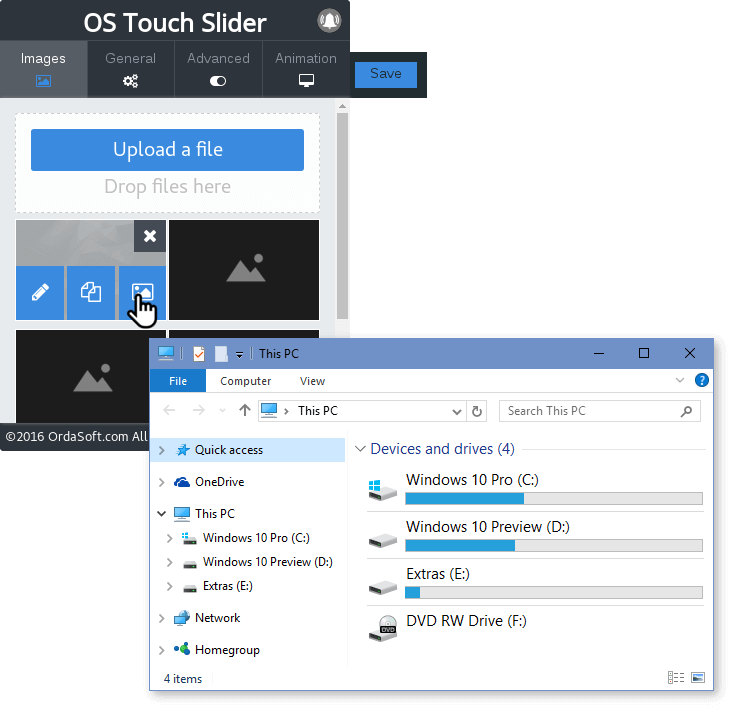
What to do if you make a perfect slide, but then decided that the image doesn't fit? Now this isn't a problem!;) You don't have to do everything anew and now replace the image is sufficient, keeping the text
We also fixed minor bugs for you to enjoy using our slider.
PLEASE NOTE:
This version of Joomla Slider doesn't support updater. Installing OS Touch Slider on the top of previous version will remove old version of OS Touch Slider and intall the new one. So please make the backup of your website (files, images, folders and database). At first please check upgrade/update process at the test website!
This version of Joomla Slider doesn't support updater. Installing OS Touch Slider on the top of previous version will remove old version of OS Touch Slider and intall the new one. So please make the backup of your website (files, images, folders and database). At first please check upgrade/update process at the test website!
Add a comment
25% Discount on Everything
Enjoy Black Friday & Cyber Monday discount

In honor of Black Friday & Cyber Monday, we are ready to give you the biggest discount of this year. Don't miss this moment! From this day you can get 25% from total order no matter what you're buying - Joomla template, Wordpress theme, Drupal themes or subscriptions on our plans.
But you have not so much time - holiday discount is available only 5 days and expire November, 29. Use coupon code BLACK25 to get the discount.
Add a commentRelease and Updates: meet new and updated Joomla templates
Enjoy Joomla 3.7.x templates
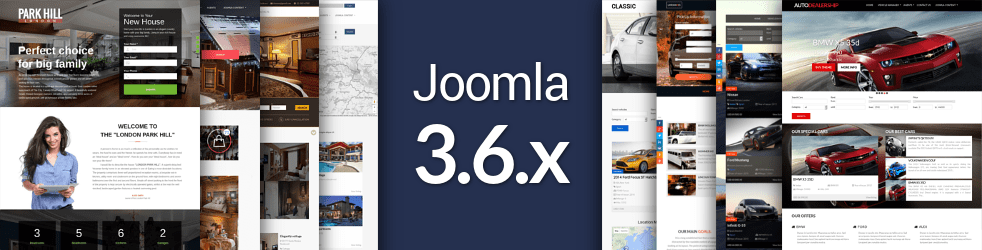
OrdaSoft team have released Car & Vehicle Templates and Joomla Real Estate Templates updated for Joomla 3.7.x. The updates also include bug fixes for user's reported issues, were added new pages for templates, improved design, added new features. Also, 2 Joomla landing page templates have been released. Park Hill - Real Estate Landing Page Template and Classy Pan - Joomla landing page template are available on our website.
More than 40 Joomla templates supported Joomla 3.7.x
OrdaSoft happy to release new car dealer Joomla templates and real estate website templates updated for Joomla 3.7.x. We added new pages in all updated templates (About us, Our Service, Our Management, Our history, Login and Registration page). Joomla templates have "Wishlist" option, any of car or property can be added in your "Wishlist". Also, were added Agent profile page and awesome contact form in all Vehicle Templates and Real Estate Templates.
Meet new Joomla landing page templates

We are glad to present first Real Estate Landing Page Template - Park Hill. ParkHill is the right choice for everyone who are looking for responsive real estate landing page template with premium design. This landing page template is intended for effective presentation of your latest projects and new offerings on the web. Main section of template, integrated with Joomla responsive slideshow module, serves as a great attention getter. Image gallery, built-in contact form and Google map support are intended to provide the web audience with explicit information about your business.
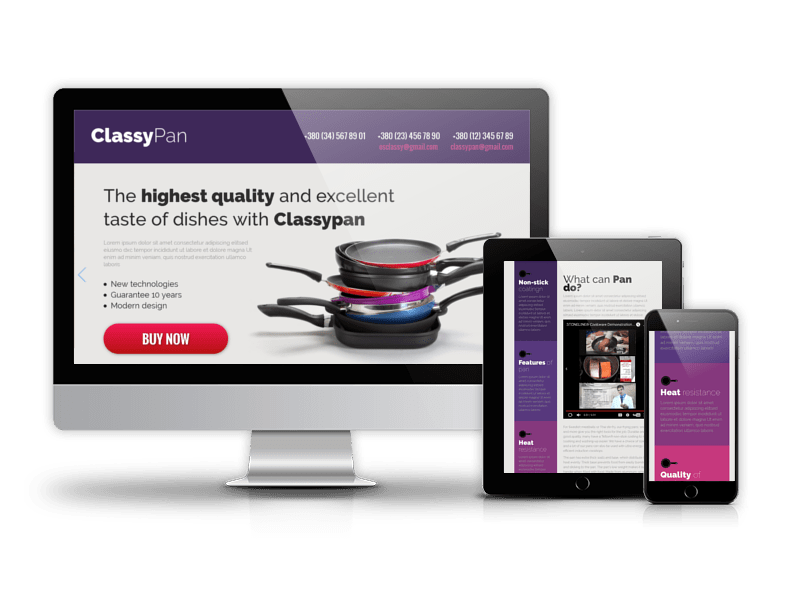
Cooking, restaurants, selling pans or any type of business can benefit from this professionally built Landing page template - Classy Pan. If you have loads of content or product that you would like to present in a logical and well-balanced way, then the clean and nice layout of this Joomla landing page template is just what you need. Fully responsive, customizable, and crossbrowser compatible, it will present your on-line business in a most suitable way.
Add a comment
New feature release: Load More button in OS Image Joomla Gallery
Divide and create with help “Load More”

OrdaSoft team have released new version of OS Responsive Image Joomla Gallery 1.0.6 with top feature: “Load More”. Here are the details:
Image Joomla Gallery with Load More Button

Image Joomla Gallery with Load More Button feature allows you to display just a few images at first. Then the rest of the photos can load in batches. The benefit is in page load speed while the visitors can still see all pictures if they like. Load more is best suited for sources that are often updated or big websites with a lot of images. We suppose, that Load More is best type of pagination. It is modern solution, looks cool and works fast.
Load More Styles
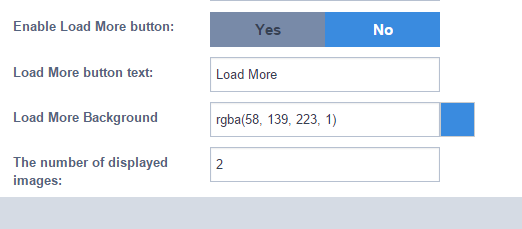
Your Load More button can be customized according to your gallery images, change Load More Background Color and Transparence. In settings of OS Gallery, you can change Load More Text.
OS Image Gallery - Responsive Image Joomla Gallery is the easy component among Joomla gallery extensions. You can create the most beautiful gallery in a few minutes and enjoy the result.
Just add images, write descriptions and titles for each image, choose among 3 incredible views. Image Joomla Gallery allows you to make your website attractive and good-looking.
Add a comment
Vehicle Manager v.3.9
Wishlist, Google Map fix and more features

The latest version of Vehicle manager - car rental software includes a range new features and fixes, namely Wishlist, layouts for search results, Google Map fix and more. All new features and options are described below:
1. Added Wishlist
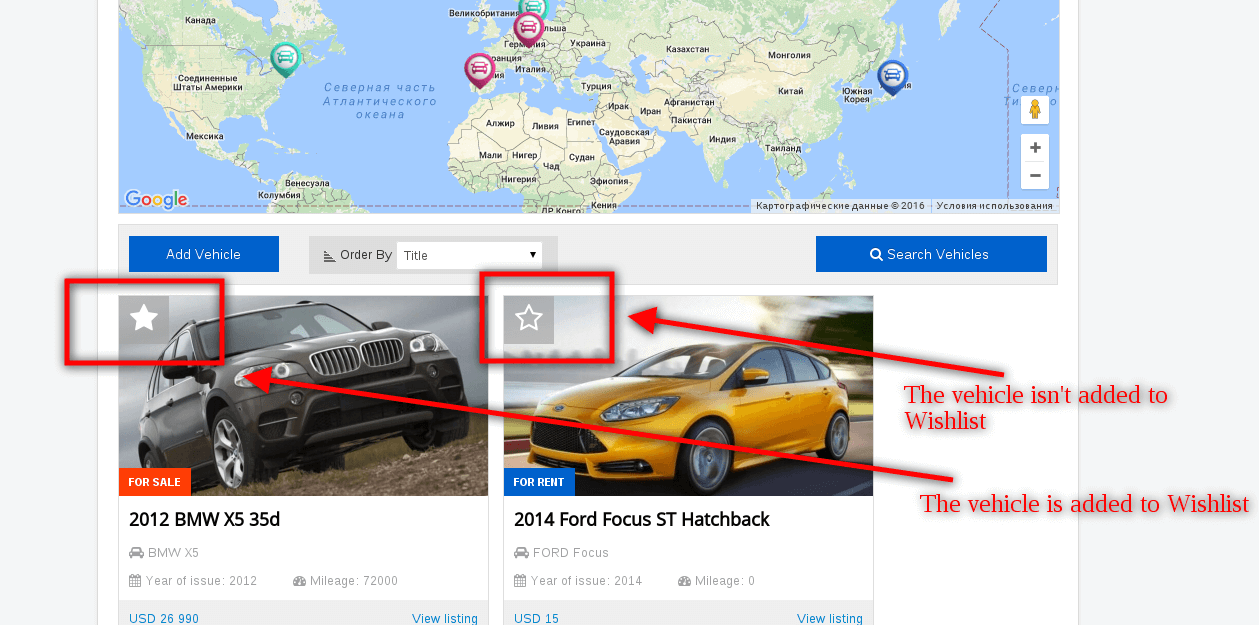
Wishlist in Vehicle Manager automotive extension is collections of vehicles that users like. Users add products to a list connected to their profile when clicking on the star in the top left corner of the vehicle's image. The list is saved on the site so the customer can refer back to it later. To remove vehicle from the wishlist it's necessary to click again on the star.
It's possible to disable Wishlist feature in Settings of Vehicle Manager.
2. Added ability to Hide Contact Agent/Rent tab
Now the tab for contacting with agent or booking vehicle (depending on vehicle's purpose: for rent or sale) can be disabled from Settings of Vehicle Manager.

03. Added Google API key field
"This page didn't load Google Maps correctly. See the JavaScript console for technical details" - this error is connected with Google Maps Geocoding API usage.
Since recently Google has changed its Google Maps Geocoding API and now all applications require authentication - a special key that allows you to monitor your application's API usage in the Google API Console, enables access to free daily quota, and ensures that Google can contact you about your application if necessary. See how to Get a Key/Authentication here.
We've modified Vehicle Manager and Location Map module for Vehicle Manager to be compatible with Google Maps Geocoding API and created a field where the key can be inserted.

4. Added layouts for search results
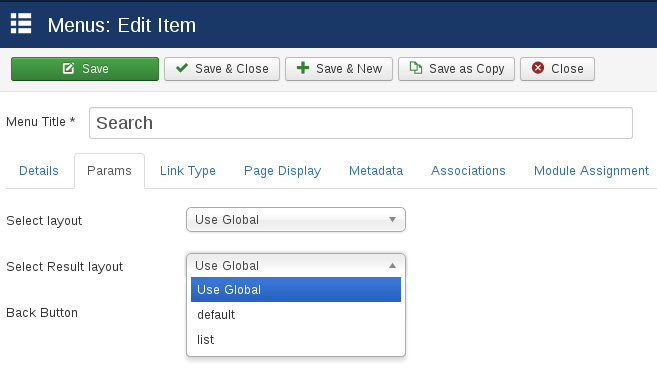
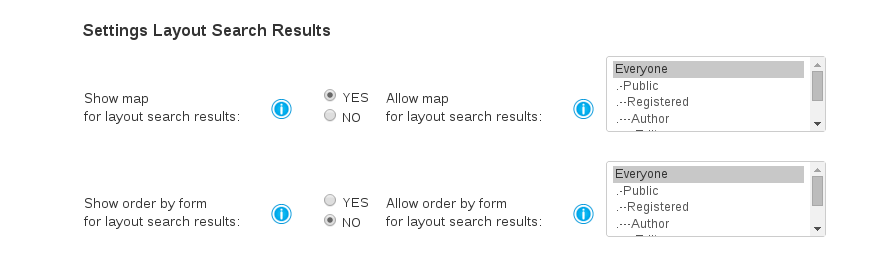
Now you can choose between Default (Grid) and List layouts for search results page. This can be set in Params while creating the menu item for Search in Vehicle Manager. In Settings of Vehicle Manager you can either show or hide map on the search results page, show or hide order.
5. Location map module - added API key field
Location map module for Vehicle Manager is also changed to display map without errors.
Please note:
Members of Developer membership plan can download the new version in Home -> Downloads -> Ordasoft Club Downloads -> Joomla Extensions Downloads -> Vehicle Manager for free. Please log in first.
If you have already bought extension and want to get the new version, contact us and we'll send you a 50% discount coupon on the Vehicle Manager v.3.9.
PLEASE NOTE:
Before making any upgrades, make the backup of your website (files, folders and database). At first please check upgrade/update process at the test website!
If you have custom changes of component, you can lose your changes. Please, in that case do not make update or contact us and we'll help you with update.
* Only for members of our Developer Club
Add a commentMore Articles...
Page 25 of 55
we support payment systems